Skip to content

For Visa, Tours, Ticketing and Umrah teams

Run your travel agency from one workspace

Answer WhatsApp leads in one shared inbox, price quotations from your own rate tables and let automations handle the follow-ups.

Every new agency is reviewed by the TMOS team before it goes live.

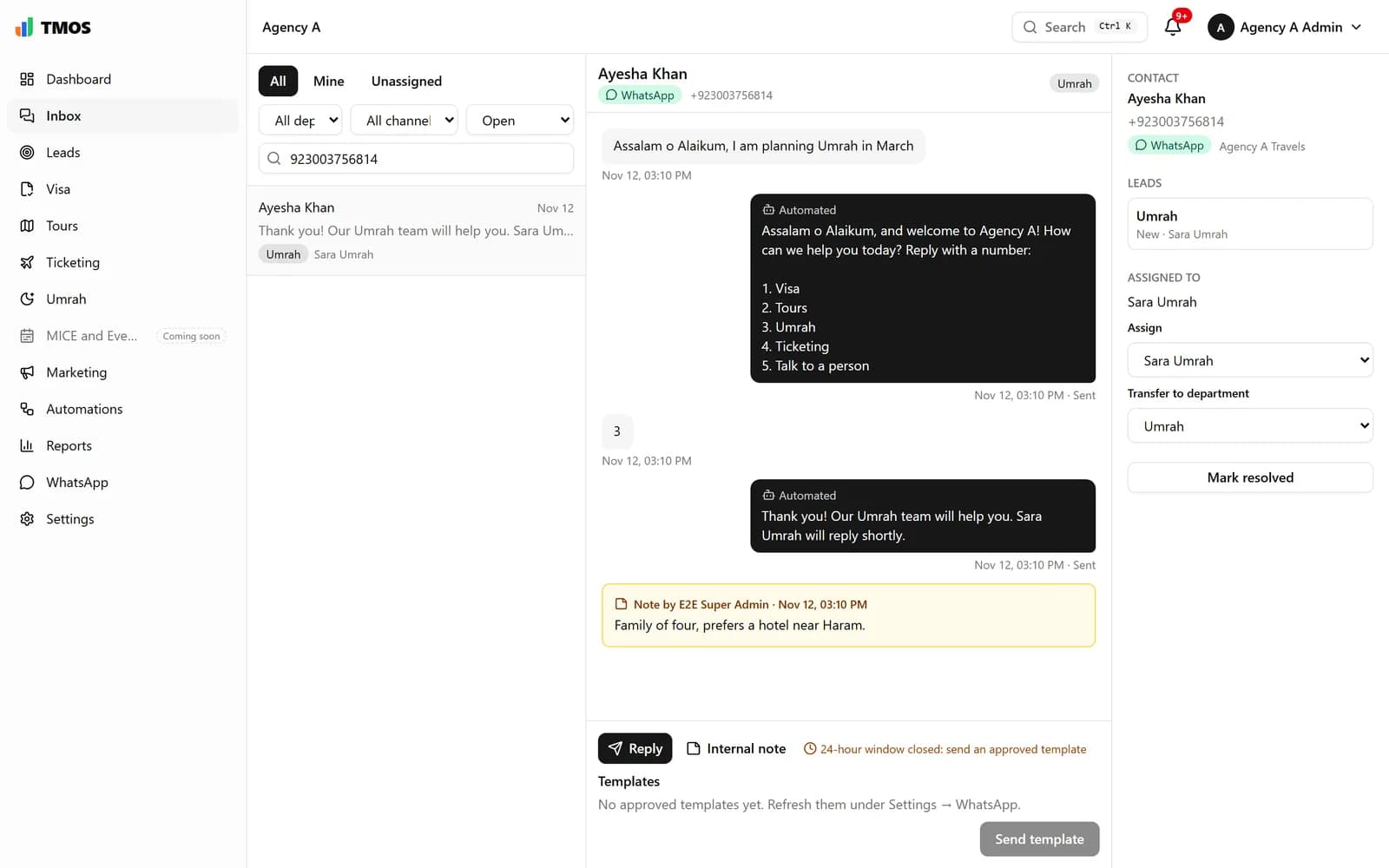
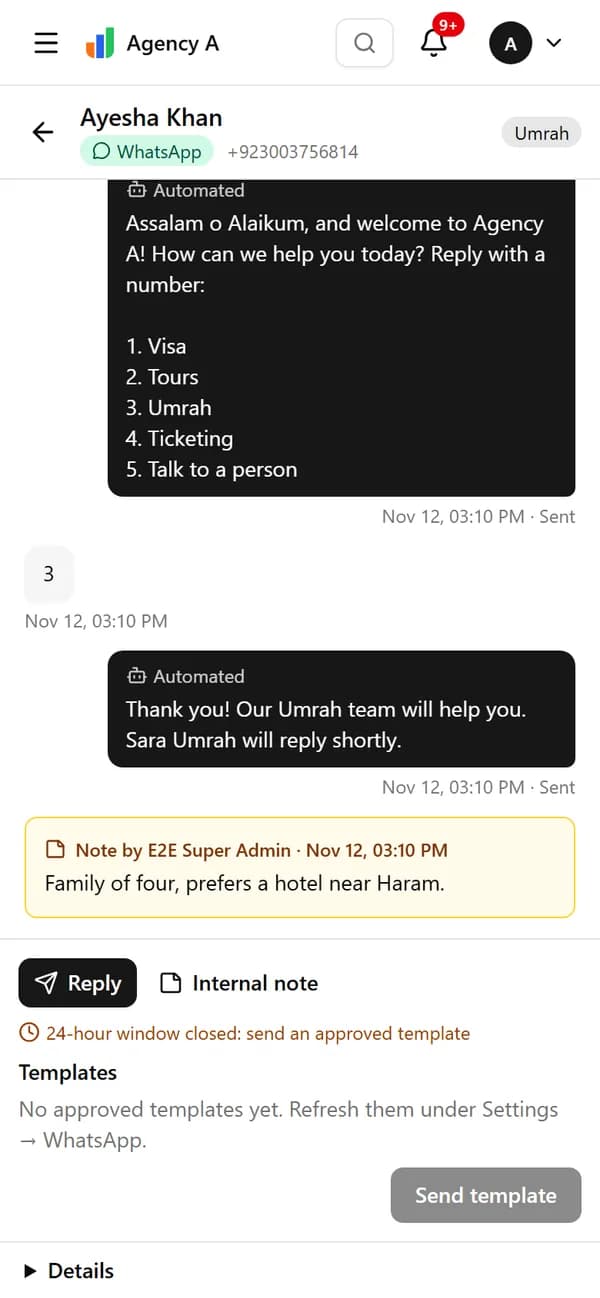
The same WhatsApp conversation in TMOS on a phone.

Four things every agency does, in one place

  • Lead generation

    WhatsApp and social chats arrive in one inbox and become leads on their own.

  • Sales management

    Pipelines per department, assignments and a clear view of who is handling what.

  • Calculation and quotations

    Visa, Tours, Ticketing and Umrah prices calculated from your own rate tables.

  • Automations

    Follow-ups, reminders and routing that run without anyone remembering them.

Built around how travel agencies sell

From the first WhatsApp message to the accepted quotation and the report at month end.

WhatsApp shared inbox

Every chat lands in one inbox and reaches the right team

New customers get your welcome message with a numbered menu. Their reply sends the chat to Visa, Tours, Umrah or Ticketing, creates a lead and assigns an agent.

  • Welcome menu and quick replies you edit yourself
  • Round-robin assignment inside each department
  • Internal notes, transfers and the 24-hour reply window built in
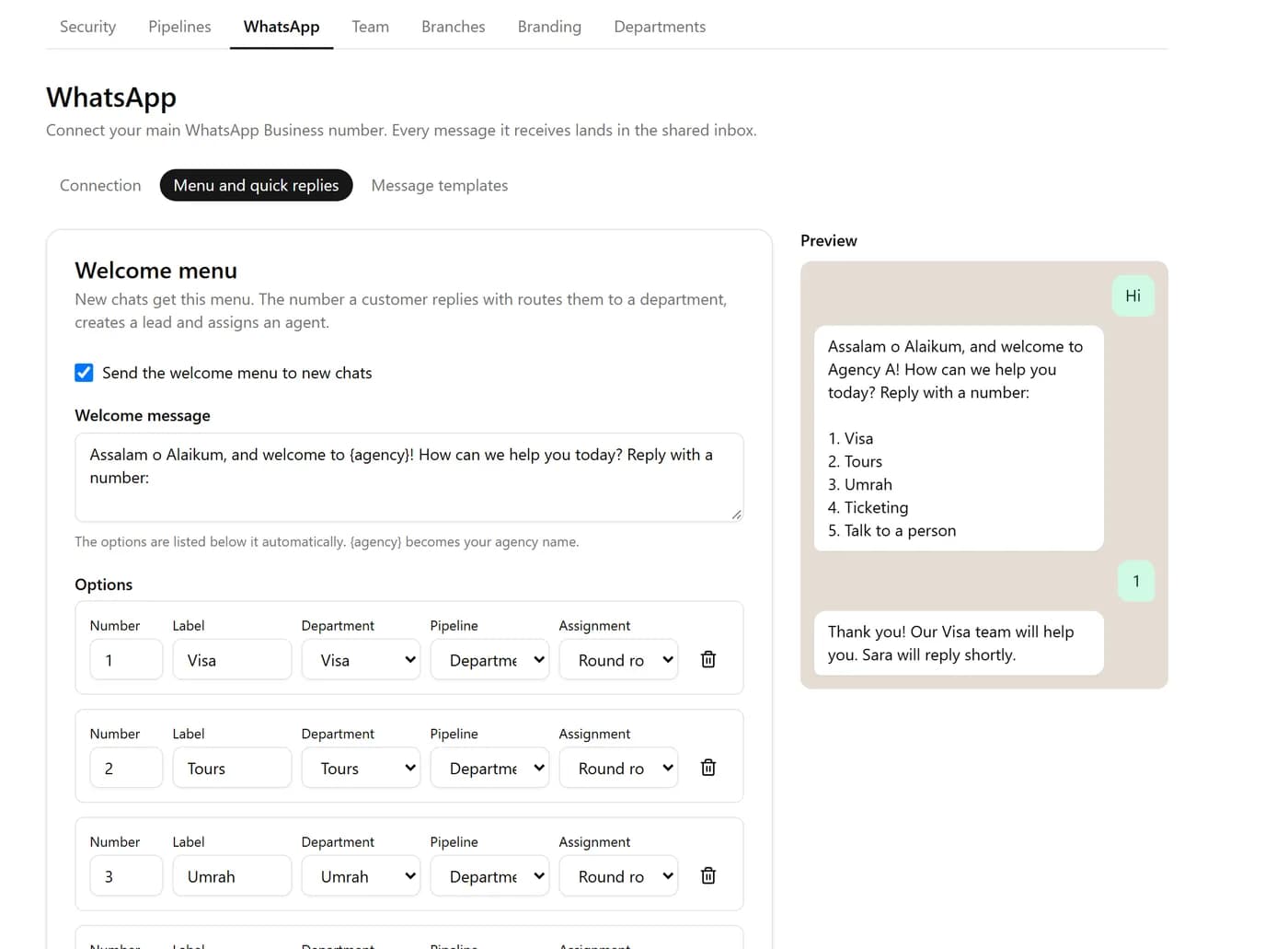
The welcome menu editor with options for Visa, Tours, Umrah and Ticketing, and a WhatsApp-style preview of the menu.

Calculation and quotations

Quotations priced from your own rates, for every department

Update your rate tables from the admin panel and every new quote uses them. Each quote keeps the rate version and exchange rate it was priced with, so you can always reproduce it.

  • Visa quotes calculated from daily rate tables, no visa agent needed
  • Umrah calculator with flights, hotels, transport, visa and ziyarat
  • Tours itinerary builder and Ticketing fares with PNR and time limit
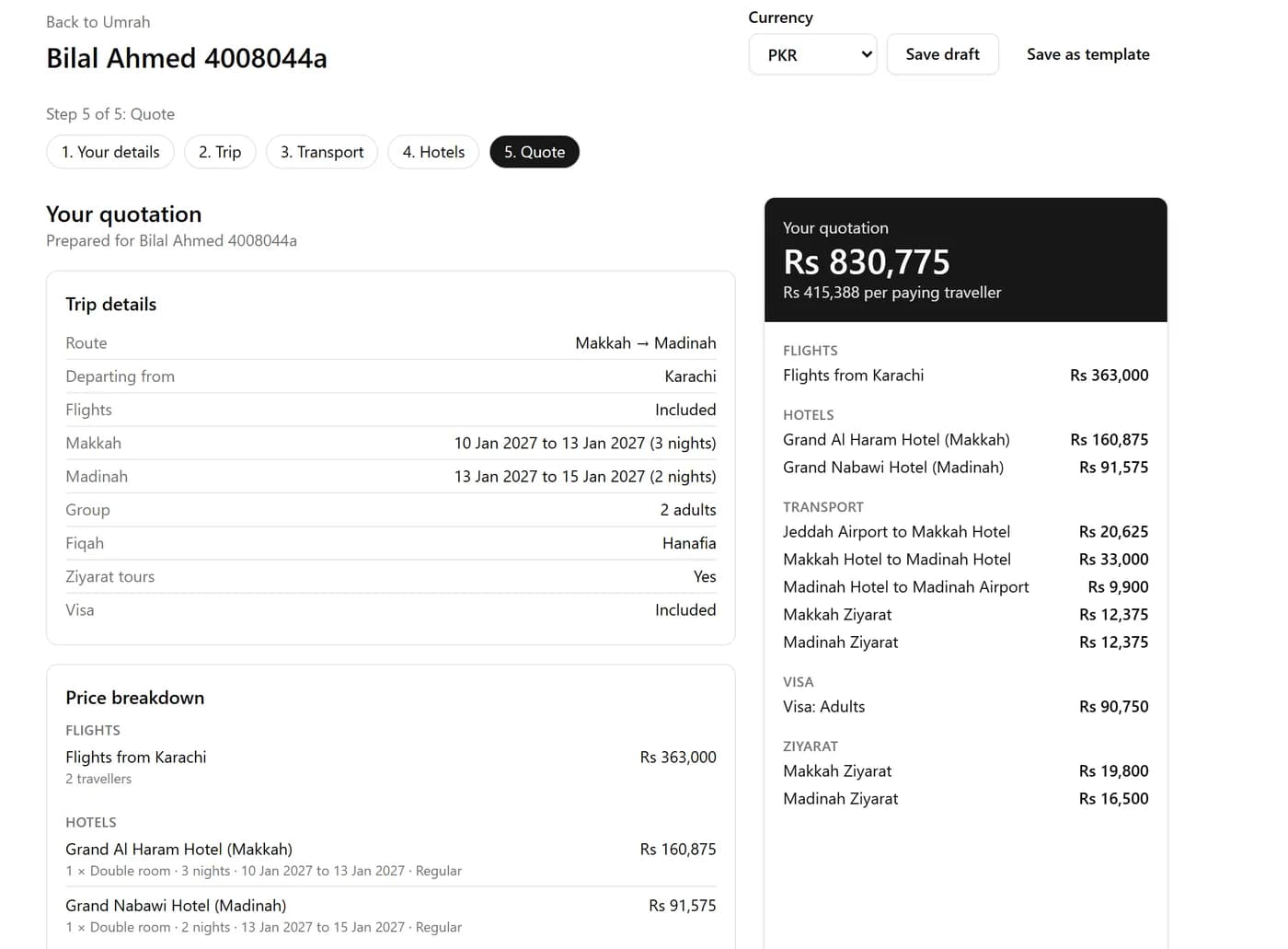
An Umrah quotation in TMOS: trip details for Makkah and Madinah with a price breakdown for flights, hotels, transport, visa and ziyarat.

Automations

Follow-ups that run themselves

Draw a workflow on a canvas: when something happens, check a condition, then message the customer, share the lead or create a task.

  • Ready-made templates for Umrah routing, quote follow-ups and visa documents
  • Test mode, versions and one-click rollback
  • Waits for a reply, with a different path when none comes
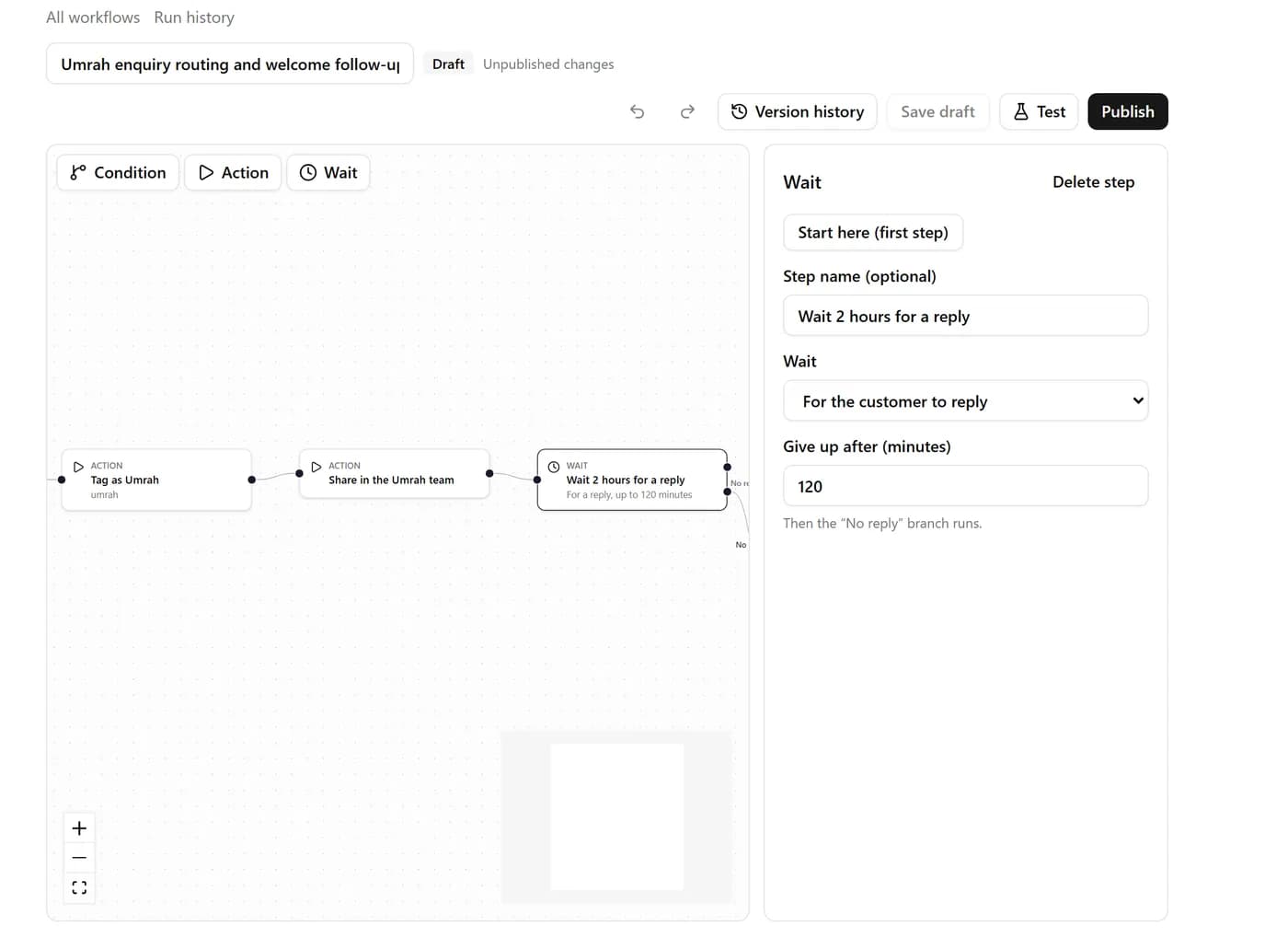
The visual automation builder showing an Umrah workflow: tag the lead, share it with the Umrah team, then wait two hours for a reply.

Reports

Know what is selling and who is selling it

Leads by source, conversion by stage, agent response times, revenue and margin. Filter, drill down and share.

  • Filter by period, department, employee and source
  • Export to PDF, Excel or CSV
  • Scheduled reports sent to your team
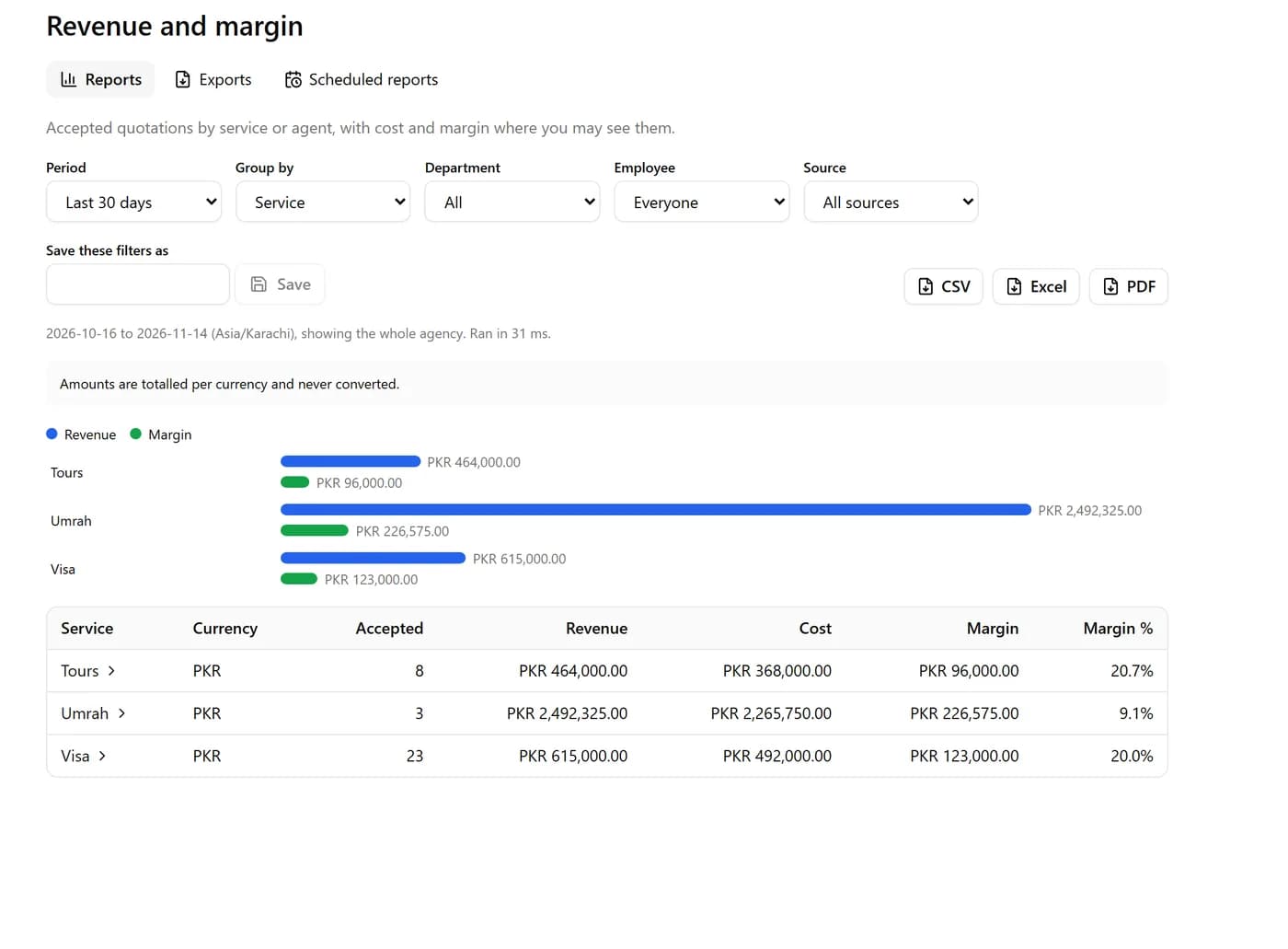
The revenue and margin report in TMOS, grouped by service, with a bar chart and a table of revenue, cost and margin.

How it works

Four steps from application to your first WhatsApp lead.

  1. Step 1

    Register your agency

    Tell us about your agency and the departments you run.

  2. Step 2

    Get approved

    The TMOS team reviews the application and activates your workspace.

  3. Step 3

    Invite your staff

    Send invitations, pick roles and choose who sees which department.

  4. Step 4

    Connect WhatsApp

    Link your WhatsApp Business number and set up the welcome menu.

Your data stays yours

Security is built into how TMOS stores and shows data, not added on top.

  • Per-agency data isolation

    Each agency’s records are separated in the database itself, so one agency can never read another’s data.

  • Roles and permissions

    Give each person exactly the access they need, by role, by department or one person at a time.

  • Audit log

    Sign-ins, permission changes, rate changes, exports and deletions are all recorded.

  • Official WhatsApp API

    TMOS uses Meta’s WhatsApp Business Platform only, with approved templates outside the 24-hour window.

Questions agencies ask

Who is TMOS for?

Travel agencies that sell visas, tours, air tickets and Umrah packages and handle most of their enquiries on WhatsApp.

Do we need our own WhatsApp Business number?

Yes. You connect your agency’s number through Meta’s official WhatsApp Business Platform, and every chat on it appears in the shared inbox.

Can every employee see every chat?

No. Staff see the departments and actions their role allows. The agency owner and super admins can see everything.

Where do the prices in a quotation come from?

From the rate tables your agency maintains in TMOS. When you publish new rates, older quotes keep the rates they were priced with.

Can we get our data out?

Yes. Reports export to PDF, Excel and CSV, and can be scheduled for your team.

How do we get started?

Apply for access with your agency’s details. Once the TMOS team approves it, you can invite staff and connect WhatsApp.

Bring your whole agency into one workspace

Apply today. We review every agency and get back to you.